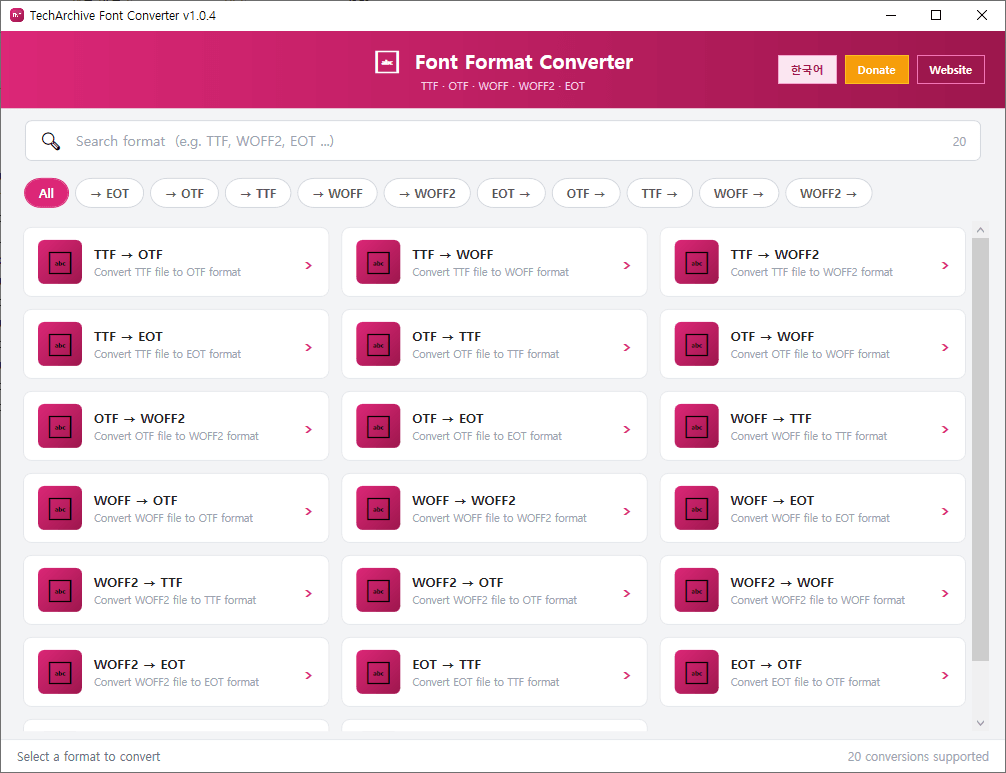
TechArchive Font Converter is a free and lightweight font conversion program that helps you quickly and easily convert font files between multiple formats.
It supports conversion between TTF, OTF, WOFF, WOFF2, and EOT files, and also allows batch conversion by selecting multiple files at once, making it useful for web font creation, design work, and font compatibility tasks.
You can convert fonts with just a few clicks without dealing with complicated settings, so it is easy to use even for beginners. When you need web fonts, you can convert existing fonts to WOFF or WOFF2, or change them into TTF, OTF, or EOT for use in different environments.
Key features:
Supports conversion between TTF, OTF, WOFF, WOFF2, and EOT
Supports batch conversion of multiple font files
Supports converting fonts for web use with WOFF and WOFF2
Supports TTF and OTF conversion
Supports various font format conversions including EOT
Provides a simple UI for quick font conversion
Supports automatic update check when the program starts
Recommended environment:
Windows 10 / Windows 11 64-bit
How to install:
Download the file below and extract it to install the program.
If you find any bugs or have feature requests, please leave a comment.
TechArchive Font Converter는 다양한 폰트 파일을 쉽고 빠르게 변환할 수 있는 무료 경량 폰트 변환 프로그램입니다.
TTF, OTF, WOFF, WOFF2, EOT 형식 간 변환을 지원하며, 여러 파일을 한 번에 선택해 일괄 변환할 수 있어 웹폰트 제작, 디자인 작업, 폰트 호환성 확인에 편리합니다.
복잡한 설정 없이 원하는 폰트 형식을 선택해 바로 변환할 수 있어 초보자도 쉽게 사용할 수 있습니다. 웹용 폰트가 필요할 때 WOFF 또는 WOFF2로 변환하거나, 기존 폰트를 다른 환경에 맞게 TTF, OTF, EOT 형식으로 바꿔 활용할 수 있습니다.
주요 기능:
TTF, OTF, WOFF, WOFF2, EOT 변환 지원
여러 파일 동시 선택 및 일괄 변환 지원
웹폰트용 WOFF, WOFF2 변환 지원
TTF 및 OTF 상호 변환 지원
EOT 포함 다양한 폰트 포맷 변환 지원
간단한 UI로 빠른 폰트 변환 가능
프로그램 시작 시 자동 업데이트 확인 지원
권장 환경:
Windows 10 / Windows 11 64비트
설치 방법:
아래 파일을 다운로드한 뒤 압축을 풀면 설치할 수 있습니다.
버그가 있거나 추가 요청사항이 있으면 댓글을 남겨주세요
변경 기록
Update URL Change
Release
카테고리 & 태그
Similar Downloads


