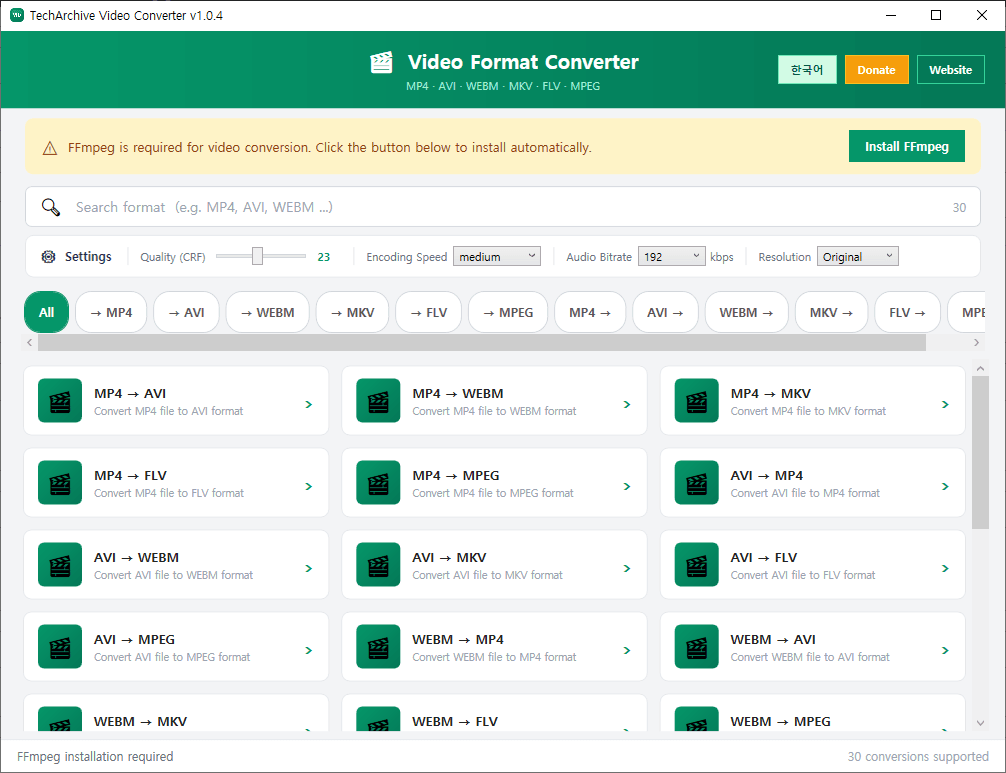
TechArchive Video Converter is a free and lightweight video conversion program that helps you quickly and easily convert video files between multiple formats.
It supports conversion between MP4, AVI, WEBM, MKV, FLV, and MPEG files, and also allows batch conversion by selecting multiple files at once, making it useful for video format changes, upload-ready encoding, and compatibility tasks.
It also includes useful conversion options. You can adjust quality (CRF), encoding speed (Preset), audio bitrate, and output resolution to balance file size and quality based on your needs. If FFmpeg is required, the program provides automatic installation support, so even beginners can use it without difficulty.
Key features:
Supports conversion between MP4, AVI, WEBM, MKV, FLV, and MPEG
Supports batch conversion of multiple video files
Supports quality (CRF) settings
Supports encoding speed (Preset) settings
Supports audio bitrate settings
Allows output resolution adjustment or keeping the original resolution
Supports automatic FFmpeg installation
Supports automatic update check when the program starts
Recommended environment:
Windows 10 / Windows 11 64-bit
How to install:
Download the file below and extract it to install the program.
If you find any bugs or have feature requests, please leave a comment.
TechArchive Video Converter는 다양한 동영상 파일을 쉽고 빠르게 변환할 수 있는 무료 경량 비디오 변환 프로그램입니다.
MP4, AVI, WEBM, MKV, FLV, MPEG 형식 간 변환을 지원하며, 여러 파일을 한 번에 선택해 일괄 변환할 수 있어 영상 포맷 변경, 업로드용 인코딩, 호환성 작업에 편리합니다.
변환 옵션도 함께 제공합니다. 화질(CRF), 인코딩 속도(Preset), 오디오 비트레이트, 출력 해상도를 설정할 수 있어 용량과 품질을 목적에 맞게 조절할 수 있습니다. FFmpeg가 필요한 경우 프로그램 내에서 자동 설치를 지원해 초보자도 쉽게 사용할 수 있습니다.
주요 기능:
MP4, AVI, WEBM, MKV, FLV, MPEG 변환 지원
여러 파일 동시 선택 및 일괄 변환 지원
화질(CRF) 설정 지원
인코딩 속도(Preset) 설정 지원
오디오 비트레이트 설정 지원
출력 해상도 변경 또는 원본 유지 선택 가능
FFmpeg 자동 설치 기능 지원
프로그램 시작 시 자동 업데이트 확인 지원
권장 환경:
Windows 10 / Windows 11 64비트
설치 방법:
아래 파일을 다운로드한 뒤 압축을 풀면 설치할 수 있습니다.
버그가 있거나 추가 요청사항이 있으면 댓글을 남겨주세요
변경 기록
Update URL Change
Release
카테고리 & 태그
Similar Downloads


