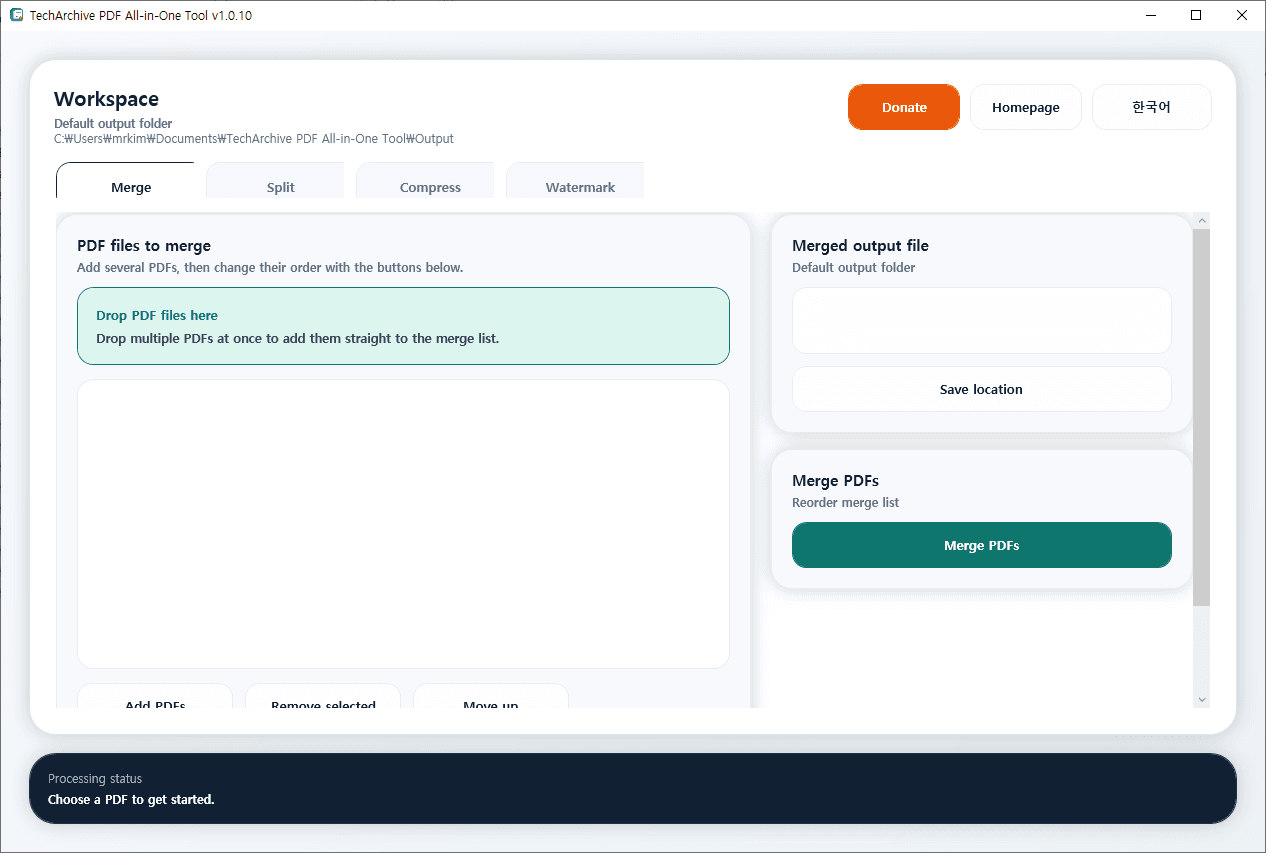
TechArchive PDF All-in-One Tool is a lightweight free PDF utility that lets you handle the most common PDF tasks from one simple screen.
You can merge multiple PDF files, split pages in several ways, reduce file size through PDF compression, and add text watermarks without needing separate tools.
The merge feature supports adding multiple PDF files at once, changing their order, and dragging and dropping files directly into the list for faster work.
For splitting, you can extract every page, split by a fixed number of pages, or create files from custom page ranges such as 1-3,5,8-10.
It also includes PDF compression and watermark features.
Compression helps reduce file size by recompressing large embedded images, while the watermark feature lets you insert custom text with adjustable font size, opacity, and rotation.
The program automatically checks for updates when it starts, and it provides a clean interface with English/Korean language switching for convenient use.
Key Features:
Merge multiple PDF files into one document
Reorder merge files with buttons and drag-and-drop input
Split PDF by single page, page count, or custom page ranges
Compress PDF files to reduce size
Add text watermarks with font size, opacity, and rotation settings
Choose custom output file or folder paths
Supports English and Korean UI switching
Automatically checks for updates when the program starts
Recommended Environment:
Windows 10 / Windows 11 64-bit
Installation:
Download the installer file below and run it to install the program.
If you find any bugs or have any feature requests, please leave a comment.
TechArchive PDF All-in-One Tool은 자주 사용하는 PDF 작업을 한 화면에서 간편하게 처리할 수 있는 무료 경량 PDF 유틸리티입니다.
여러 PDF 파일 병합, 다양한 방식의 페이지 분할, PDF 용량 압축, 텍스트 워터마크 추가 기능을 별도 프로그램 없이 손쉽게 사용할 수 있습니다.
병합 기능은 여러 PDF를 한 번에 추가하고 순서를 바꿔서 하나의 문서로 합칠 수 있으며, 드래그 앤 드롭으로 파일을 바로 목록에 넣을 수 있어 작업이 빠릅니다.
분할 기능은 모든 페이지를 개별 파일로 저장하거나, N페이지 단위로 나누거나, 1-3,5,8-10 같은 사용자 지정 범위로 분리할 수 있습니다.
또한 PDF 압축과 워터마크 기능도 지원합니다.
압축 기능은 문서 안의 큰 이미지를 다시 압축해 파일 크기를 줄이는 데 도움이 되며, 워터마크 기능은 글자 크기, 투명도, 회전 각도를 설정해 원하는 문구를 PDF에 추가할 수 있습니다.
프로그램 시작 시 자동 업데이트를 확인하며, 영어/한국어 UI 전환도 지원해 누구나 편하게 사용할 수 있습니다.
주요 기능:
여러 PDF 파일을 하나로 병합
병합 파일 순서 변경 및 드래그 앤 드롭 추가 지원
페이지별 분할, N페이지 단위 분할, 사용자 지정 범위 분할 지원
PDF 파일 용량 압축
글자 크기, 투명도, 회전 설정이 가능한 텍스트 워터마크 추가
출력 파일 및 폴더 경로 직접 지정 가능
영어/한국어 UI 전환 지원
프로그램 시작 시 자동 업데이트 확인 지원
권장 환경:
Windows 10 / Windows 11 64비트
설치 방법:
아래 설치 파일을 다운로드한 뒤 실행하면 설치할 수 있습니다.
버그가 있거나 추가 요청사항이 있으면 댓글을 남겨주세요.
변경 기록
Release
카테고리 & 태그
Similar Downloads


