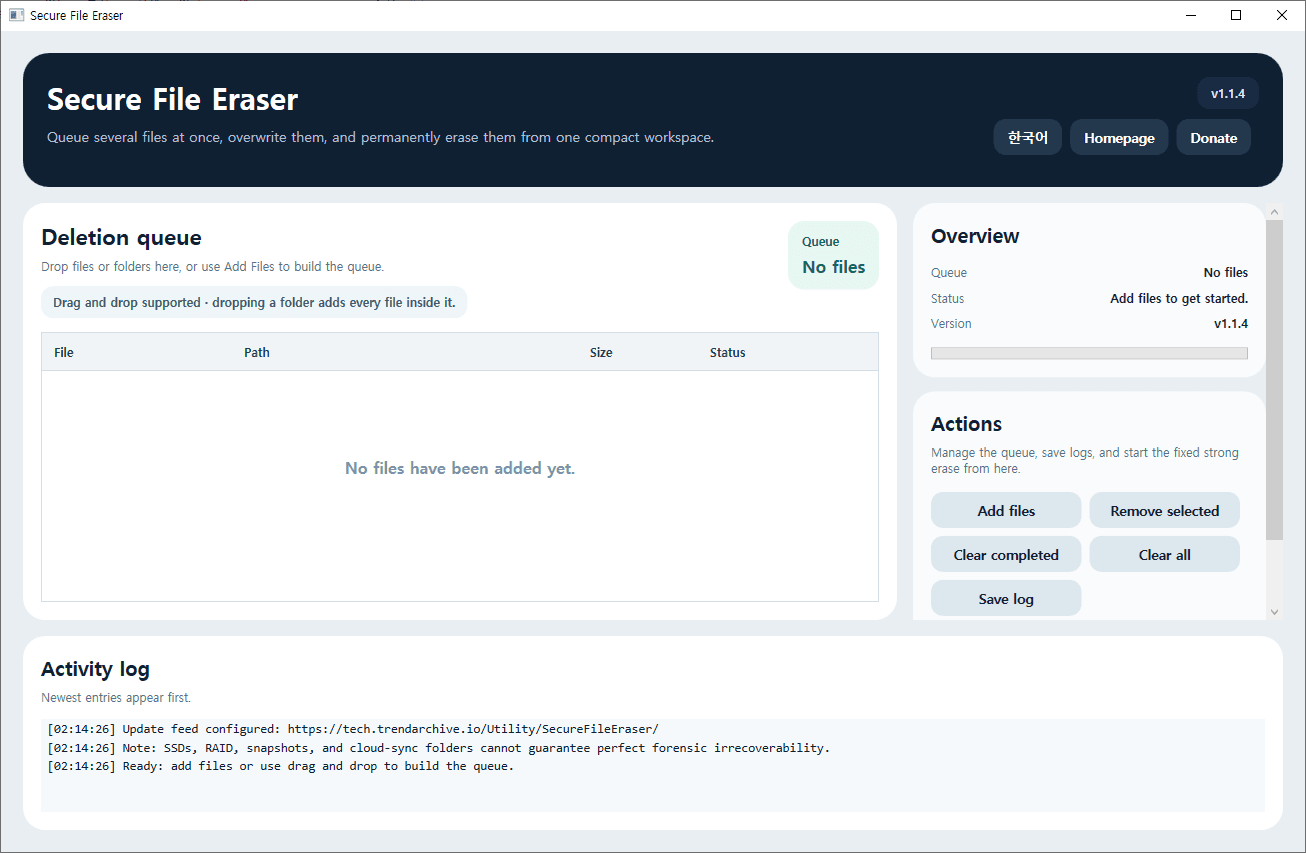
TechArchive Secure File Eraser is a lightweight free Windows utility that helps you permanently remove sensitive files from one simple screen.
You can add multiple files at once, drag and drop files or folders into the queue, review the target list before deletion, and start a strong erase process without dealing with complicated settings.
The program is built for users who want a faster and cleaner way to handle secure file removal.
It includes queue management features such as removing selected items, clearing completed entries, clearing the entire list, and saving activity logs so you can keep track of what has been processed.
When deletion starts, the program runs a fixed strong erase routine with 7 overwrite passes, renames the file several times, and then removes it from the system.
It also checks for updates automatically when the program starts, and it includes English/Korean language switching, a homepage button, and a donation button in the main interface.
Please note that on SSDs, RAID, snapshots, and cloud-synced folders, no software can guarantee perfect forensic irrecoverability for individual files.
This tool is designed as a strong best-effort secure deletion utility for everyday Windows use.
Key Features:
- Permanently erase multiple files at once
- Drag and drop files or folders directly into the deletion queue
- Fixed strong erase process with 7 overwrite passes
- Remove selected items, clear completed items, and clear the full queue
- Save activity logs to a text file
- Supports English and Korean UI switching
- Automatically checks for updates when the program starts
- Includes homepage and donation buttons in the main UI
Recommended Environment:
Windows 10 / Windows 11 64-bit
Installation:
Download the installer file below and run it to install the program.
If you find any bugs or have any feature requests, please leave a comment.
Korean
TechArchive Secure File Eraser는 민감한 파일을 한 화면에서 간편하게 영구 삭제할 수 있는 무료 경량 Windows 유틸리티입니다.
여러 파일을 한 번에 추가할 수 있고, 파일이나 폴더를 드래그 앤 드롭으로 목록에 넣은 뒤, 삭제 대상을 확인하고 바로 강력한 삭제를 실행할 수 있습니다.
이 프로그램은 복잡한 설정 없이 빠르고 깔끔하게 보안 삭제 작업을 처리할 수 있도록 구성되어 있습니다.
선택 항목 제거, 완료 항목 정리, 전체 목록 비우기, 작업 로그 저장 같은 대기열 관리 기능도 포함되어 있어 어떤 파일이 처리되었는지 쉽게 확인할 수 있습니다.
삭제를 시작하면 프로그램은 고정된 강화 삭제 방식으로 7회 덮어쓰기를 수행하고, 파일명을 여러 번 변경한 뒤 최종 삭제합니다.
또한 프로그램 시작 시 자동 업데이트를 확인하며, 영어/한국어 UI 전환, 홈페이지 버튼, 후원 버튼도 메인 화면에서 바로 사용할 수 있습니다.
단, SSD, RAID, 스냅샷, 클라우드 동기화 폴더 환경에서는 개별 파일에 대해 포렌식 수준의 완전한 복구 불가를 100% 보장할 수는 없습니다.
이 프로그램은 일반적인 Windows 환경에서 최대한 복구를 어렵게 만드는 강한 수준의 영구 삭제 도구를 목표로 합니다.
주요 기능:
- 여러 파일을 한 번에 영구 삭제
- 파일 및 폴더 드래그 앤 드롭으로 삭제 목록 구성
- 7회 덮어쓰기를 사용하는 강화 삭제 방식 적용
- 선택 항목 제거, 완료 항목 정리, 전체 목록 비우기 지원
- 작업 로그를 텍스트 파일로 저장 가능
- 영어/한국어 UI 전환 지원
- 프로그램 시작 시 자동 업데이트 확인
- 메인 화면에서 홈페이지 및 후원 버튼 제공
권장 환경:
Windows 10 / Windows 11 64비트
설치 방법:
아래 설치 파일을 다운로드한 뒤 실행하면 설치할 수 있습니다.
버그가 있거나 추가 요청사항이 있으면 댓글을 남겨주세요.
변경 기록
Release
카테고리 & 태그
Similar Downloads


